Local Weather: Forecast&Alerts
Muheb BangashWeather
4.420.00 Reviews
- Version
- 1.12.1
- Installs
- 100.00K
- Age Rating
- Everyone
Screenshots
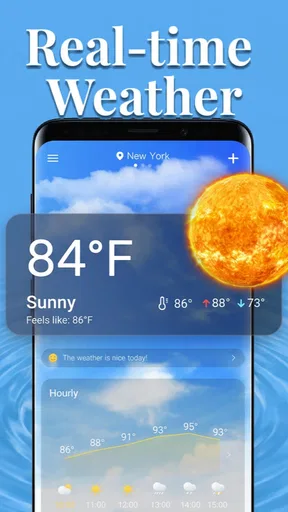
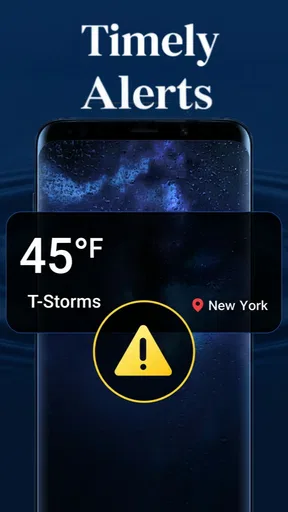
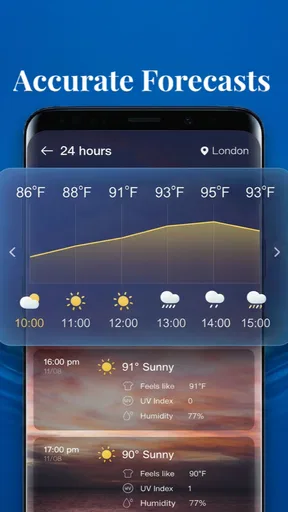
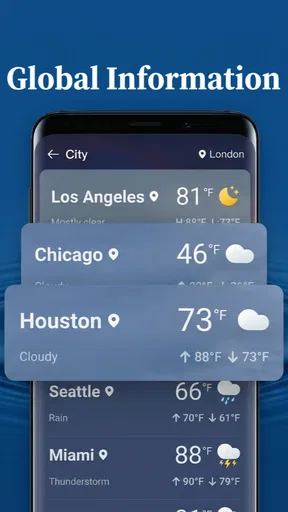
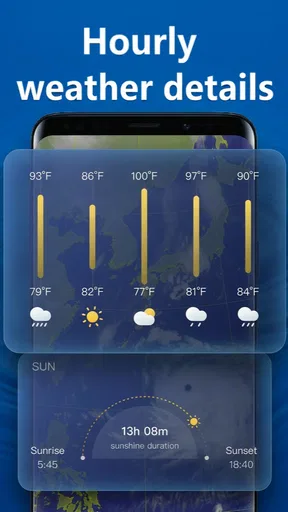
Our Review of Local Weather: Forecast&Alerts
 Analysis by Appyee
I approached Local Weather: Forecast&Alerts as a practical weather app rather than a feature-heavy dashboard. Its purpose is straightforward: help me check local conditions, follow forecasts, and notice alerts before I make plans. That focus makes it easy to understand, especially when I only want a quick answer about whether I should carry an umbrella, delay a walk, or dress for a colder evening.
The app is developed by Muheb Bangash and is available free of charge. It belongs to the weather category, has an Everyone content rating, and supports devices running Android 7.0 or later. Its current version is 1.9.2, and the app has reached more than one hundred thousand installs. Those details make it approachable for people using older Android phones as well as newer devices.
My review concentrates on something that is easy to overlook in weather software: how comfortably different people can read, navigate, and use it in real situations. A forecast can be accurate and still be frustrating if information is crowded, alerts are easy to miss, or the interface demands too many precise taps. Local Weather: Forecast&Alerts is at its best when used as a simple daily reference, although it is not automatically the ideal choice for every user or every kind of weather planning.
Readability and navigation for quick weather checks
The strongest part of the experience is its direct purpose. I do not have to learn a complicated system before getting value from it. Someone opening a weather app during breakfast, before commuting, or while packing for a trip generally wants the current local picture first. A focused layout is useful in those moments because it reduces the amount of searching needed to reach the forecast and alerts.
That simplicity also helps people who find dense information tiring. Weather apps often place temperature, wind, humidity, precipitation, sunrise details, maps, advisories, and extended forecasts on the same screen. More information is not always more usable. For a reader who prefers a clear sequence, Local Weather: Forecast&Alerts is easier to approach when treated as a decision-making tool: check the present conditions, look ahead, then decide whether an alert changes the plan.
I would still advise new users to spend a little time learning where the important information appears. A weather interface can feel obvious after a few checks but less obvious when someone is stressed, rushing, or looking at it in unfamiliar surroundings. The most useful habit is to identify the forecast area and alert area early, then return to those sections instead of exploring every available detail.
The average rating is 4.3 from roughly three hundred sixty ratings, with around seventeen written reviews. That response suggests the app has worked well for many people, but I would not treat a rating as a substitute for personal testing. Readability depends on the phone, display settings, lighting, and the user’s preferred level of detail. A screen that feels comfortably simple to one person may feel too limited or too compact to another.
How I would set up a dependable reading routine
For everyday use, I would check the app at the same points in the day rather than repeatedly opening it without a purpose. A morning glance can answer whether clothing or travel plans need adjusting. A second look before leaving can confirm whether conditions have changed. This routine is particularly helpful for users who find frequent notifications distracting and prefer a predictable manual check.
When reading a forecast, I recommend looking for the information that affects the decision first. If I am walking, precipitation and temperature matter more than a long list of secondary measurements. If I am planning outdoor work, wind and alerts may deserve priority. This selective approach prevents the screen from becoming an information test and makes the app more manageable for people who process information slowly or prefer one decision at a time.
Text size and display contrast are also important, but the result depends on the phone’s own settings and the way the app presents its content. Users with reduced vision should try the app with their preferred system text size and display contrast before relying on it for important plans. If enlarged text causes labels to become cramped or forces excessive scrolling, a more spacious alternative may be more comfortable.
Color should not be the only way to understand a forecast or warning. People with color-vision differences may have difficulty when temperature ranges or conditions are communicated mainly through colored backgrounds, icons, or gradients. I would read the accompanying words rather than relying on visual color alone, especially when an alert could affect travel or safety.
Navigation when attention and precision are limited
Weather checks often happen while carrying groceries, wearing gloves, standing on a moving platform, or dealing with glare. In those situations, a clean route to the main forecast is more valuable than a deep menu of controls. I found the app’s focused purpose suitable for short sessions, but users with limited dexterity should pay attention to how easily they can select locations, move between forecast areas, and dismiss or revisit alerts.
Small touch targets can become a problem even when the content itself is readable. A person with tremors, joint pain, or one-handed use may prefer fewer controls and larger spaces between them. If navigating the app requires repeated precise taps, the experience may be tiring. This is not a reason to dismiss it immediately, but it is a good reason to test the most common workflow before making it the only weather source.
Users who rely on screen readers should also evaluate how clearly the phone announces headings, values, icons, and alert states. I would not assume that a visual arrangement automatically becomes a logical spoken sequence. The practical test is simple: turn on the preferred assistive technology, check the current conditions, move to the forecast, and find an alert without looking at the display. If important information is announced without confusing repetition, the app is more viable for that user.
Motor, sensory, and situational considerations
Weather information is rarely consumed in ideal conditions. I might open it outdoors in bright sunlight, in a dim bedroom, during rain, or while moving between places. These contexts expose weaknesses that are invisible during a calm indoor test. Local Weather: Forecast&Alerts makes sense for quick checks, but I would not judge accessibility from a single comfortable session.
For users with hearing loss, visual alerts and readable warning text are more important than sound alone. A weather warning that depends mainly on an audible notification can be missed in a noisy environment or by someone who does not hear it. I would keep the habit of opening the app and reading the alert details rather than assuming every important change will be understood from a notification sound.
For users with light sensitivity or migraines, bright screens and high visual density can make short checks unpleasant. Lowering screen brightness, using a comfortable system display mode, and avoiding unnecessary browsing can help. The app’s value is greatest when I use it briefly and deliberately, not when I leave a busy forecast screen open for long periods.
People with cognitive disabilities may benefit from a consistent routine and plain interpretation. Instead of asking them to compare many figures, I would frame the task around a concrete question: “Is it safe and comfortable to walk now?” or “Do we need rain protection this afternoon?” A caregiver or family member could help establish that routine, while still allowing the user to make the final choice where possible.
For children, the Everyone rating makes the app broadly suitable from an age-classification perspective, but that does not mean every weather decision should be left to a child. A young user may read a temperature without understanding wind chill, severe weather, or the difference between a forecast and a guarantee. The app can support learning and planning, but an adult should remain involved when conditions are hazardous.
A realistic morning and commute example
Imagine I am preparing for work and have a short walk to a bus stop. I open the app before getting dressed and check the local conditions. Rather than scanning every available detail, I look for the current temperature, the expected change during my travel period, and any alert that could affect the route. If the forecast suggests rain, I add a compact umbrella. If the conditions look calm but an alert is present, the alert takes priority over my casual impression of the sky.
Before leaving, I check once more because a forecast is useful guidance, not a promise. This second check is one of the app’s practical strengths: it encourages a small, repeatable safety habit without requiring a complex planning system. For someone with memory difficulties, placing that check beside an existing routine such as putting on shoes can make the process easier to remember.
The same workflow works for a parent taking a child to school, a delivery worker planning a route, or an older adult deciding whether to walk to a nearby shop. The limitation is that the user still has to interpret the information and choose an action. The app can present weather information, but it cannot replace judgment about mobility, health, road conditions, or local surroundings.
When another weather tool may be better
I would choose a more specialized weather service for users who need advanced radar interpretation, detailed aviation information, marine conditions, or highly technical storm tracking. Those people may prefer a platform built around maps, layers, historical context, and professional measurements rather than a quick local forecast.
I would also compare alternatives if a user depends heavily on a particular accessibility workflow, such as extensive voice control, very large text, strong screen-reader labeling, or a home-screen widget that can be read without opening the app. A different weather app may integrate more deeply with the phone’s accessibility settings or offer a layout that better suits a specific disability.
On the other hand, someone who dislikes advertising clutter, complicated dashboards, or excessive setup may find this app more approachable than feature-packed competitors. Its free price removes a financial barrier for people who only need basic local weather information. That does not make it universally superior, but it makes trying it a low-risk option for routine checks.
Alerts, trust, and the limits of a forecast
Alerts are potentially the most important part of the app because they can change a plan quickly. I would treat them as prompts to investigate, not as a complete explanation. When an alert appears, I want to read its wording, understand the affected period, and consider how it applies to my location and activity. A person who has difficulty processing urgent information may benefit from a simple personal rule: stop, read the alert carefully, and ask for help if the meaning is unclear.
Notifications can also create two opposite problems. If they are too frequent, a user may mute them and miss something useful later. If they are too easy to overlook, the app may not support someone who depends on reminders. I recommend checking the phone’s notification behavior and building a manual check into important routines. For critical emergencies, I would never rely on one weather app alone; official local emergency channels remain a sensible backup.
Forecast confidence is another important trade-off. A forecast helps me prepare, but it cannot guarantee what will happen at the exact place and minute I step outside. This matters for people whose health or mobility is strongly affected by heat, cold, storms, or air conditions. They should use the app as one input alongside personal limits, local guidance, and advice from a qualified professional when relevant.
Remaining barriers for inclusive everyday use
The app’s accessible value depends partly on the device it runs on. Older phones may have smaller screens, weaker performance, or less comfortable touch response. Android 7.0 support is useful for compatibility, but compatibility alone does not guarantee an equally smooth experience across every handset. I would test the current forecast, location selection, and alert reading on the actual phone that will be used daily.
There is also a difference between visual simplicity and complete accessibility. A clean screen can reduce cognitive load, yet users may still encounter barriers if controls are not clearly labeled, icons lack useful descriptions, or important changes are communicated through color. People who use assistive technologies should evaluate those details directly rather than assuming that a minimal interface will solve every need.
Location changes can introduce another practical challenge. Someone who travels between home, work, school, or care facilities needs to confirm that the displayed forecast belongs to the intended place. This is especially important for users who cannot easily notice subtle location labels or who depend on spoken output. Before acting on an alert, I would verify the location and time period shown on screen.
Language and weather vocabulary can also affect understanding. A person may recognize a temperature but not understand terms describing wind, precipitation, or severe conditions. Families and support workers can make the app more useful by agreeing on a small set of plain-language actions: carry protection, wear an extra layer, avoid a route, or check official guidance.
Finally, the app should not be treated as a substitute for environmental awareness. A forecast may not reflect a shaded path, icy pavement, flooding near a home, or a building that stays unusually hot. Users with balance difficulties, respiratory sensitivities, or temperature-related health concerns should combine the app with what they can observe locally and with advice appropriate to their circumstances.
My inclusive verdict
After using Local Weather: Forecast&Alerts as a daily planning tool, I see its main appeal in its approachable purpose. It is free, supports an older Android baseline, and focuses on local forecasts and alerts rather than asking every user to become a weather expert. The rating of 4.3 and its audience of over one hundred thousand installs show that it has found a meaningful group of users, while the Everyone classification makes it easy to consider for a household.
My practical recommendation is to use it as a clear first check, then match it with your own accessibility routine. Increase system text if needed, test the app with a screen reader or voice-control setup when relevant, verify that alerts are visually understandable, and decide whether the touch controls work comfortably with one hand or limited precision. These small tests tell me more than a general promise of convenience ever could.
I would recommend it to people who want a straightforward local weather reference for commuting, school runs, errands, walks, and ordinary outdoor planning. It is especially sensible for users who prefer short, repeatable checks over a map-filled professional dashboard. I would be more cautious about recommending it as the sole tool for severe-weather preparedness, technical forecasting, or anyone whose accessibility needs require proven support for a particular assistive technology.
Overall, Local Weather: Forecast&Alerts is a useful everyday option when the goal is to understand what the weather may mean for the next part of the day. Its real success depends on readable presentation, alert habits, and the user’s ability to confirm information in their own context. For me, that makes it worth trying, provided I keep a second source available for genuinely serious conditions and choose a more specialized alternative when detailed weather analysis or stronger accessibility controls are essential.
Privacy and Permissions
See what permissions an app requests and how it handles your data.
- Location
- approximate location (network-based), precise location (GPS and network-based)
- Wi-Fi connection information
- view Wi-Fi connections
- Other
- view network connections, full network access, prevent device from sleeping
Verdict
Strengths of Local Weather: Forecast&Alerts
- Clear hourly and daily forecasts for quick planning.
- Severe weather alerts help users prepare for changing conditions.
- Location support makes checking weather in multiple places convenient.
- Useful details include wind, humidity, and precipitation chances.
- Clean interface is easy to navigate for most users.
Limitations of Local Weather: Forecast&Alerts
- Forecast accuracy may vary, especially several days ahead.
- Frequent alerts can become distracting in rapidly changing weather.
- Some advanced features may require a subscription or contain ads.
- Weather data and update speed depend on the selected provider.
- Background location access may affect battery life and privacy.
Similar Picks in This Category
View All
Weather - By Xiaomi
Xiaomi Inc.4.1

Weather & Radar Forecast
WetterOnline4.8

Weather
OneLouder Apps4.6

AccuWeather: Weather Radar
AccuWeather3.6

The Weather Channel - Radar
The Weather Channel4.6

1Weather Forecasts & Radar
OneLouder Apps4.3
Frequently Asked Questions
What is Local Weather: Forecast&Alerts used for?
Local Weather: Forecast&Alerts is designed to provide current weather conditions, hourly forecasts, and extended daily predictions based on your selected location. It can help you plan commutes, outdoor activities, and travel by displaying information such as temperature, precipitation, wind, humidity, and visibility. Depending on the device and enabled services, it may also provide severe-weather notifications and other useful forecast details.
Does Local Weather: Forecast&Alerts require access to my location?
The app can use your device’s location to automatically identify the area for which you want weather information. Location access is generally optional because you can often search for and save cities manually, which may be preferable if you are concerned about privacy or battery usage. If you enable location services, check the permission options and choose whether the app may access your location only while in use or more continuously.
Are the weather forecasts and alerts accurate?
Forecast quality depends on the meteorological data provider, your region, and how far ahead you are checking. Short-term forecasts are usually more dependable than long-range predictions, while severe-weather alerts can vary according to local authorities and available coverage. Treat the app as a convenient reference rather than a replacement for official emergency announcements, especially during dangerous storms or rapidly changing conditions.
Can I receive severe-weather notifications from the app?
Local Weather: Forecast&Alerts may support notifications for severe conditions, rain, storms, temperature changes, or other weather events, depending on the app version and your location. You normally need to grant notification permission and configure alert preferences within the settings. Make sure battery-saving restrictions do not prevent background updates, and remember that alert availability can differ between countries and local weather services.
Is Local Weather: Forecast&Alerts free to download and use?
The app may be available as a free download, but some features can depend on advertising, optional purchases, or a premium subscription. Before installing, review the store listing for details about advertisements, trial periods, recurring charges, and locked functions. Also check the requested permissions and privacy information, since weather apps may process location, device, and usage data to provide personalized forecasts or alerts.
